Thumbnail Size & Resolution: The Ultimate Guide to Click-Worthy Images

Thumbnail Size & Resolution: The Ultimate Guide to Click-Worthy Images
In the digital world, first impressions matter. And nowhere is this more true than with thumbnails. Your thumbnail is often the first thing potential viewers see, making it crucial for attracting clicks and boosting engagement. This guide will cover everything you need to know about thumbnail size and resolution to create images that stand out.
Why Thumbnail Size and Resolution Matter
- Click-Through Rate (CTR): A high-quality, eye-catching thumbnail dramatically increases your CTR. Poorly sized or blurry thumbnails are easily overlooked.
- Professionalism: Well-crafted thumbnails enhance your brand image and signal professionalism.
- Platform Algorithms: Some platforms favor content with optimized thumbnails, giving you a visibility boost.
- Accessibility: Clear, readable thumbnails ensure your content is accessible to a wider audience, including those with visual impairments.
Optimal Thumbnail Dimensions for Major Platforms
Let's break down the recommended thumbnail sizes for popular platforms:
- YouTube: 1280 x 720 pixels (16:9 aspect ratio). This is the gold standard. Keep your file size under 2MB for optimal loading. YouTube also recommends a minimum width of 640 pixels.
- Facebook: 1200 x 630 pixels is ideal for link posts. For shared images, aim for 1200 x 900 or similar aspect ratio that fits well in the feed. Facebook automatically scales images, so upload the highest quality version possible.
- Instagram: The display size for thumbnails on Instagram grids is 161 x 161 pixels, but Instagram recommends uploading images with a width of 1080 pixels to ensure quality across all devices and screen resolutions.
- LinkedIn: 1200 x 627 pixels is the recommended size for sharing articles and links.
- Twitter: 1200 x 675 pixels is a good all-around size for Twitter image thumbnails. However, Twitter crops images differently on different devices. Consider the display safe area.
Understanding Aspect Ratio
Aspect ratio is the proportional relationship between an image's width and height. Maintaining the correct aspect ratio is essential to prevent distortion and ensure your thumbnails look their best on different screens.
Common aspect ratios include:
- 16:9: Widescreen, ideal for YouTube and many video platforms.
- 4:3: A traditional television format, less common online.
- 1:1: Square, popular on Instagram.
Best Practices for Creating Effective Thumbnails
- High Resolution: Always use high-resolution images to avoid pixelation. A minimum of 72 DPI (dots per inch) is recommended, but higher is better.
- Clear Visuals: Keep your thumbnails visually simple and easy to understand at a glance. Avoid clutter.
- Compelling Text: Use clear, concise text to convey the content's main message. Ensure it's readable even on small screens.
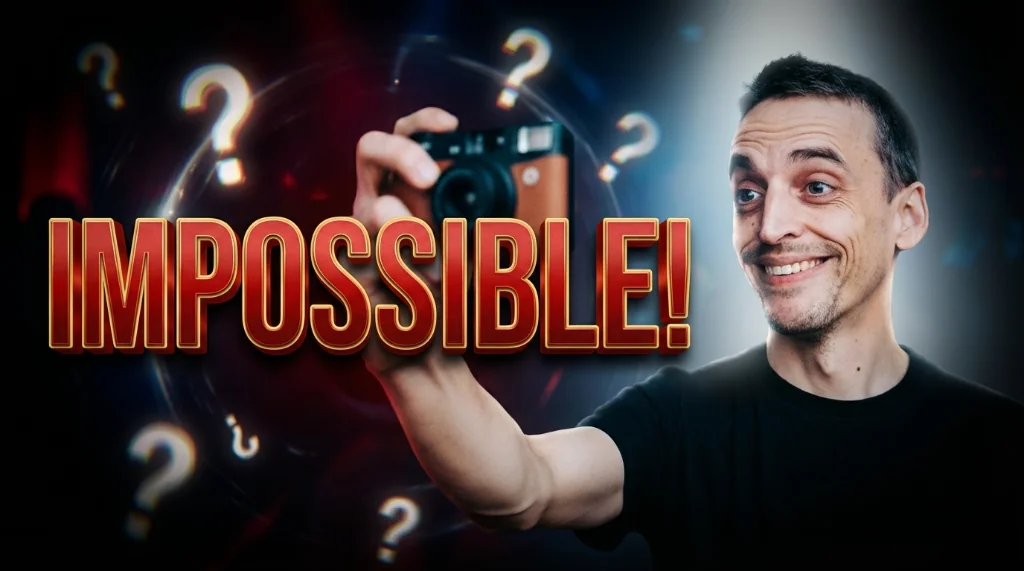
- Contrast and Color: Utilize contrasting colors to make your thumbnail stand out. Consider using a consistent brand color palette. Psychological studies show that red triggers attention, so strategically adding red can increase click-through rates.
- Consistency: Maintain a consistent style across your thumbnails to build brand recognition.
- Use Faces: Including human faces can increase engagement, especially if the expression conveys emotion.
- A/B Test: Experiment with different thumbnail designs to see what works best for your audience.
Avoiding Common Thumbnail Mistakes
- Blurry Images: This is a major turn-off. Always use high-quality source material.
- Text That's Too Small: Ensure your text is legible on small screens.
- Misleading Thumbnails: Don't create thumbnails that are unrelated to the actual content.
- Overly Cluttered Design: Simplicity is key.
- Ignoring Brand Consistency: Your thumbnails should reflect your brand's visual identity.
Optimizing Thumbnails with Viralth Studio
Creating compelling thumbnails doesn't have to be time-consuming or complicated. Viralth Studio offers a suite of AI-powered tools to streamline the process and ensure your thumbnails are perfectly optimized for maximum impact.
Here's how Viralth Studio can help:
- AI-Driven Composition: Viralth Studio's AI analyzes your images and automatically suggests optimal compositions, ensuring your thumbnails are visually balanced and engaging. It even does automatic face preservation.
- Automatic Readability Checks: Viralth Studio checks the readability of your text on small screens, guaranteeing that your message is clear and accessible to all viewers.
- Optimal File Size: Viralth Studio automatically optimizes your thumbnails to under 2MB, the perfect size for YouTube, without sacrificing quality. This ensures fast loading times and a seamless viewing experience.
- 'Viral Red' Color Psychology: Viralth Studio allows you to easily incorporate strategically placed red hues into your thumbnails based on color psychology principles, maximizing their attention-grabbing potential. You can leverage the power of 'Viral Red' to subtly influence viewer behavior and increase click-through rates.
By using Viralth Studio, you can create professional-looking thumbnails in minutes, saving you time and effort while maximizing your content's visibility and engagement. Stop settling for mediocre thumbnails and start using Viralth Studio to unlock your content's full potential!
Stop Guessing. Start Going Viral.
Join thousands of creators using AI to generate high-CTR thumbnails in seconds. No design skills required.


Read Next
From Zero to Hero: Your Ultimate Guide to Growing a YouTube Channel
Unleash Viral Potential: Storytelling Techniques for YouTube Domination