Stop the Scroll: How to Boost Video Views with Killer Thumbnails

Stop the Scroll: How to Boost Video Views with Killer Thumbnails
In the vast ocean of online video, your thumbnail is your fishing lure. It's the first (and often only) thing viewers see when deciding whether to click on your video or scroll on by. A great video thumbnail can be the difference between a viral hit and a forgotten upload. This guide will teach you how to create eye-catching thumbnails that drive clicks and boost your video views.
Why Thumbnails Matter More Than You Think
- First Impressions: Your thumbnail is the face of your video. It's the visual handshake that either draws viewers in or pushes them away.
- Standing Out from the Crowd: Platforms like YouTube are incredibly competitive. A compelling thumbnail helps you cut through the noise and grab attention.
- Boosting Click-Through Rate (CTR): A higher CTR directly translates to more views and increased visibility within search algorithms.
- Branding Opportunity: Consistent thumbnail design reinforces your brand identity and helps viewers recognize your content.
Designing Thumbnails That Convert: Key Elements
- High-Quality Images: Use crisp, clear, and high-resolution images. Avoid blurry or pixelated thumbnails at all costs.
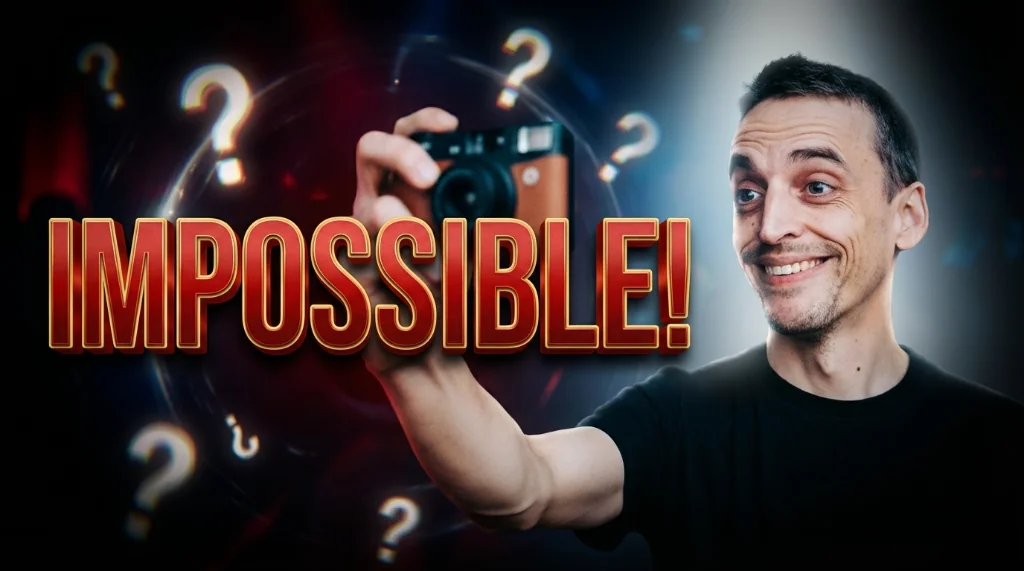
- Intriguing Visuals: Include elements that create curiosity or a sense of anticipation. Think expressive faces, surprising moments, or intriguing objects.
- Compelling Text Overlays: Keep text short, readable, and relevant to the video's content. Use strong keywords and action verbs.
- Brand Consistency: Use a consistent color palette, font, and overall design style across all your thumbnails to build brand recognition.
- Optimal Size and Format: Use the recommended dimensions for your platform (e.g., 1280x720 pixels for YouTube). Save thumbnails as JPG or PNG files.
- Contrast and Clarity: Ensure there's enough contrast between the image, text, and background to make the thumbnail easily readable at a glance.
Avoiding Common Thumbnail Mistakes
- Clickbait: Don't mislead viewers with deceptive thumbnails. It will damage your reputation and lead to negative feedback.
- Text Overload: Avoid overcrowding your thumbnail with too much text. Less is often more.
- Low Resolution: Using a low-resolution image is a surefire way to turn viewers away.
- Inconsistent Branding: A lack of consistency can confuse viewers and dilute your brand identity.
- Ignoring Mobile Viewers: Remember that many viewers watch videos on mobile devices. Ensure your thumbnails are legible even on smaller screens.
Tools and Resources for Creating Awesome Thumbnails
- Canva: A user-friendly online design tool with tons of templates and resources for creating professional-looking thumbnails.
- Adobe Photoshop: A powerful image editing software for advanced users who want more control over their thumbnail design.
- PicMonkey: Another popular online design tool with a range of features for creating eye-catching visuals.
- Figma: A collaborative design tool suitable for teams working on video thumbnails together.
A/B Testing Your Thumbnails: The Key to Optimization
Don't just guess what works best. Use A/B testing to experiment with different thumbnail designs and see which ones generate the highest click-through rates. Most video platforms (like YouTube) have built-in A/B testing features, or you can use third-party tools.
What to Test:
- Image Choices: Try different images from your video or even custom-created visuals.
- Text Overlays: Experiment with different fonts, colors, and wording.
- Layout and Composition: Adjust the placement of text and images to see what works best.
Conclusion
Creating effective video thumbnails is an essential part of maximizing your video views and growing your audience. By following these tips and continuously optimizing your thumbnails through A/B testing, you can stop the scroll and capture the attention of potential viewers. So, go ahead and unleash your creativity and start designing thumbnails that convert!
Stop Guessing. Start Going Viral.
Join thousands of creators using AI to generate high-CTR thumbnails in seconds. No design skills required.


Read Next
From Zero to Hero: Your Ultimate Guide to Growing a YouTube Channel
Unleash Viral Potential: Storytelling Techniques for YouTube Domination