Crush YouTube's Algorithm: Killer Thumbnail Design Tips for Virality
YouTube Thumbnail Design: Stop the Scroll & Hook Viewers
In the relentless battle for YouTube attention, your thumbnail is your first (and often only) chance to make a lasting impression. A compelling thumbnail can dramatically increase click-through rates (CTR), leading to more views, subscribers, and ultimately, channel growth. But designing effective thumbnails isn't just about slapping on a pretty picture – it's a strategic art.
This Viralth Studio guide will equip you with actionable strategies to craft thumbnails that not only look good but also drive results. Stop being overlooked and start getting those clicks!
Why Are YouTube Thumbnails So Important?
Think of your thumbnail as the movie poster for your video. It's a visual representation of what viewers can expect, and it's what convinces them to click over the sea of other videos. A well-designed thumbnail:
- Grabs Attention: Stands out in the crowded YouTube search results and suggested videos.
- Communicates Value: Quickly conveys the video's topic and the benefit to the viewer.
- Builds Brand Recognition: Establishes a consistent visual identity for your channel.
- Increases Click-Through Rate (CTR): Drives more viewers to your content, boosting watch time and engagement.
Key Elements of a Winning YouTube Thumbnail
Before diving into specific design tips, let's break down the core elements that make a thumbnail effective:
- High-Quality Image: A clear, crisp, and visually appealing image is crucial. Avoid blurry or pixelated photos.
- Compelling Headline: Use concise, attention-grabbing text that accurately reflects the video's content.
- Strategic Color Palette: Choose colors that stand out and align with your brand. Consider using contrasting colors to make elements pop.
- Emotional Connection: Evoke emotions through facial expressions, imagery, and text. Make viewers feel something.
- Consistency: Maintain a consistent thumbnail style to build brand recognition and make your videos easily identifiable.
Actionable Tips for Designing Killer Thumbnails
Ready to level up your thumbnail game? Here are some proven tips:
-
Use High-Resolution Images: Start with the highest quality image possible. Grainy or blurry thumbnails are an instant turn-off.
-
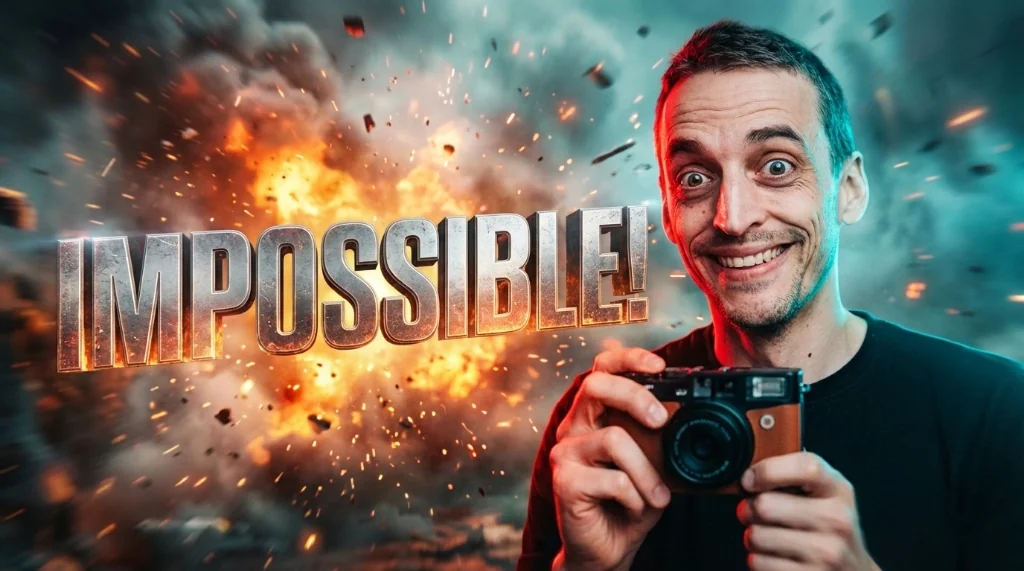
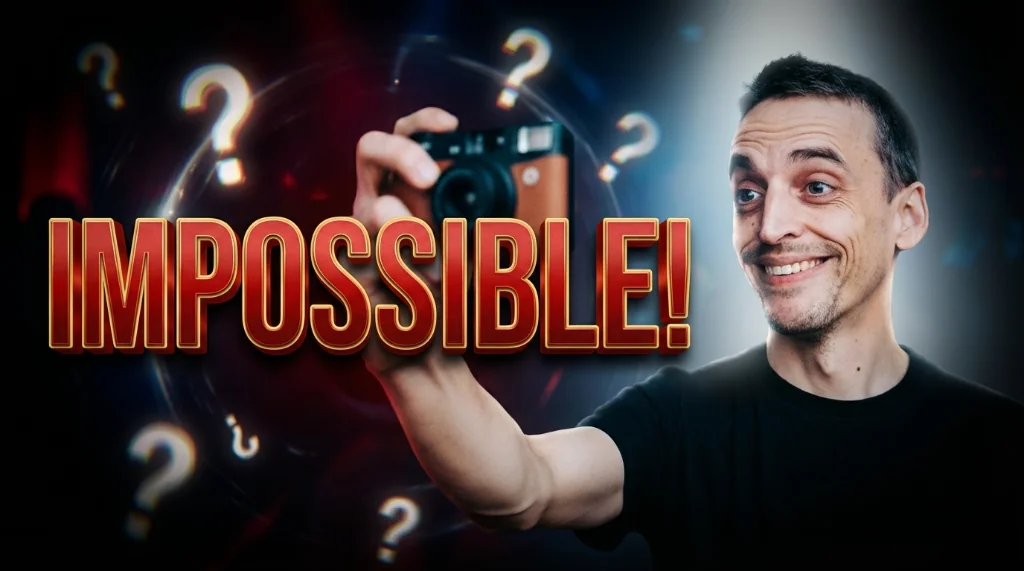
Embrace Facial Expressions: Human faces are inherently engaging. Use expressive close-ups to connect with viewers on an emotional level.
-
Keep It Simple: Avoid cluttering your thumbnail with too many elements. Focus on a clear message and a strong visual focal point.
-
Choose Bold and Contrasting Colors: Use colors that stand out from YouTube's default white and red theme. The 'Viral Red' color has proven to be incredibly effective at capturing attention. In fact, Viralth Studio offers a specialized 'Viral Red' color palette pre-loaded for easy integration.
-
Add Text Strategically: Use a clear, legible font and keep the text concise. Position the text where it's easily visible and doesn't obscure key image elements.
-
Maintain Brand Consistency: Use consistent colors, fonts, and styles across all your thumbnails to build brand recognition.
-
Optimize for Mobile: Remember that many viewers will see your thumbnails on small screens. Ensure that the text and key elements are still legible at a reduced size. Viralth Studio has an automatic readability check feature specifically designed for small screens, ensuring your message always hits home, regardless of the device.
-
A/B Test Your Thumbnails: Experiment with different designs to see what resonates best with your audience. Tools like YouTube Analytics can help you track click-through rates.
-
Consider the "Rule of Thirds": Position key elements along the lines or intersections of a 3x3 grid to create a more visually balanced and appealing composition. Viralth Studio's AI-driven composition assistance makes this easier than ever, ensuring visually stunning thumbnails every time.
-
Preserve Faces in AI Image Generation: When using AI to generate images, be sure your thumbnail generator correctly preserves faces to maintain that important emotional connection. Viralth Studio's AI-driven face preservation technology addresses this very problem.
Why Viralth Studio is Your Ultimate Thumbnail Design Solution
While there are many tools available for creating YouTube thumbnails, Viralth Studio provides a comprehensive and streamlined solution designed for optimal performance. Here's why it's the ideal choice:
- AI-Powered Design Assistance: Leverage our AI-driven composition and face preservation features to create stunning thumbnails effortlessly.
- Automatic Readability Checks: Ensure your thumbnails look great on any device with our small-screen optimization feature.
- <2MB File Size Optimization: Viralth Studio automatically optimizes your thumbnails to meet YouTube's file size requirements without sacrificing quality. This ensures faster loading times and optimal performance.
- 'Viral Red' Color Palette: Access our pre-loaded 'Viral Red' color palette to leverage the power of color psychology and grab attention.
- User-Friendly Interface: Design beautiful thumbnails quickly and easily, even if you're not a professional designer.
Stop leaving clicks on the table. Invest in high-quality thumbnails and watch your YouTube channel thrive. Start designing your winning thumbnails with Viralth Studio today!
Stop Guessing. Start Going Viral.
Join thousands of creators using AI to generate high-CTR thumbnails in seconds. No design skills required.

Read Next
From Zero to Hero: Your Ultimate Guide to Growing a YouTube Channel
Unleash Viral Potential: Storytelling Techniques for YouTube Domination